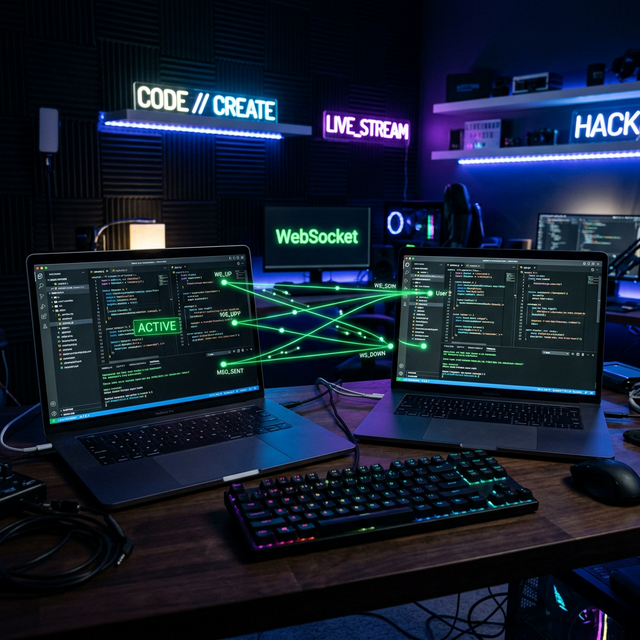
Building a Real-Time Collaborative Code Editor with WebSockets
XGBoost + SHAP: Building an Explainable House Price Predictor (R=0.88)
Two users. One file. Changes happening simultaneously from different locations, both appearing instantly on both screens without conflicts. Building real-time collaborative editing sounds simple until you actually sit down to do it. The synchronization problem is deceptively hard.
The Problem: Concurrent Editing
The core challenge of collaborative editing is handling concurrent edits. User A is on line 15, User B is on line 3. User B inserts a line which is now line 4. User A's cursor is now pointing at the wrong line. Both users add text at the exact same millisecond. Which one "wins"? Which order do changes merge?
This is the problem Google Docs, Figma, and Notion all had to solve. The academic term is Operational Transformation (OT) a set of algorithms for merging concurrent edits consistently. My implementation was simpler, but the challenge was real.
The Architecture
The system had three layers:
Browser A (User 1)         Browser B (User 2)
      |                              |
      |  WebSocket (persistent)      |  WebSocket (persistent)
      |                              |
      +---------------+--------------+
                      |
          [Flask-SocketIO Server]
           - Room-based sessions
           - Receives edit delta from any client
           - Broadcasts delta to all others in room
           - Maintains document state in memory
                      |
          [In-memory document store]
           - One document state per room ID
           - Redis for multi-instance horizontal scale
WebSockets vs HTTP
The key architectural decision: WebSockets instead of polling. HTTP polling asking "any updates?" every second would work but creates latency and unnecessary load. WebSockets create a persistent bidirectional connection. The server can push updates to all clients instantly.
# Server-side with Flask-SocketIO
from flask import Flask
from flask_socketio import SocketIO, join_room, emit

app = Flask(__name__)
socketio = SocketIO(app, cors_allowed_origins="*")

# In-memory document store
documents = {}

@socketio.on('join')
def on_join(data):
    room = data['room']
    join_room(room)
    # Send current document state to the new client
    if room in documents:
        emit('document_state', {'content': documents[room]})

@socketio.on('edit')
def on_edit(data):
    room = data['room']
    change = data['change']  # {type, position, content}

    # Apply change to server-side document
    documents[room] = apply_change(documents[room], change)

    # Broadcast to ALL other clients in the room
    emit('remote_edit', change, room=room, include_self=False)
The Client-Side: CodeMirror Integration
Rather than build an editor from scratch, I used CodeMirror a mature code editing library that provides syntax highlighting, indentation, and cursor management. The collaboration layer sat on top:
// Client-side JavaScript
const socket = io();
const editor = CodeMirror(document.getElementById('editor'), {
    lineNumbers: true,
    mode: 'python'
});

// Listen for remote changes
socket.on('remote_edit', function(change) {
    // Suppress our own change event before applying
    isRemoteChange = true;
    editor.replaceRange(
        change.content,
        editor.posFromIndex(change.from),
        editor.posFromIndex(change.to)
    );
    isRemoteChange = false;
});

// Send local changes to server
editor.on('change', function(cm, changeObj) {
    if (isRemoteChange) return;  // Don't echo remote changes

    socket.emit('edit', {
        room: roomId,
        change: {
            from: editor.indexFromPos(changeObj.from),
            to: editor.indexFromPos(changeObj.to),
            content: changeObj.text.join('\n'),
            type: changeObj.origin
        }
    });
});
The Hard Part: Conflict Resolution
The naive implementation breaks when two users type at the same time. User A inserts at position 10. User B inserts at position 10 at the same millisecond. The server receives A's change, applies it (position 10 is now shifted by A's insertion), then receives B's change at position 10 which is now the wrong position.
My solution for this project: operational timestamps with a transform function. Each change carries a timestamp and the revision number it was based on. If a change is based on an old revision, we transform its position to account for all changes that happened since that revision.
This is a simplified version of OT. Full OT implementations (like what Google Docs uses) are significantly more complex handling every possible combination of concurrent operations is a research problem. For a side project, simple timestamp-based conflict resolution was sufficient.
What This Project Taught Me
Building the collaborative editor gave me a deep appreciation for problems that look simple from the outside. "Two people editing the same document" seems trivial. The distributed consistency problem underneath is genuinely hard.
It also taught me about WebSocket lifecycle management handling disconnections, reconnections, and the "split brain" problem where a client gets out of sync with the server's state. Building robust real-time systems requires thinking about failure modes that HTTP request/response hides from you.
Working on a real-time application or collaborative tool? This is a space I've built in and enjoy thinking about.
Get In Touch