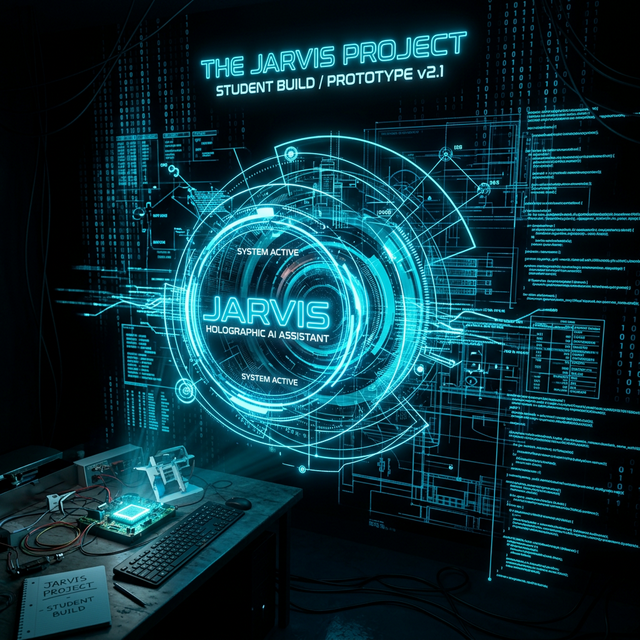
I Built a JARVIS in College — It Was Simple, But It Started Everything
No transformers. No LLMs. No cloud APIs. Just Python, a microphone, a speaker, and a Wikipedia API. My first AI project was embarrassingly simple — and I'm still proud of it more than anything currently on my resume.
The Inspiration (and the Hubris)
Every AI movie fan has a moment where they think: "I want to build JARVIS." The Tony Stark assistant. The thing that listens, thinks, and responds. I had that moment in my first year of college, immediately after learning that Python had a speech_recognition library.
I gave myself a weekend. I had no AI experience. I had barely used Python beyond print statements and basic scripts. That gap between ambition and ability? That's exactly where learning happens.
The Tech Stack (Tiny But Real)
Here's what JARVIS v1 actually used:
- SpeechRecognition — to convert my voice to text using Google's API
- pyttsx3 — an offline text-to-speech engine for the voice response
- Wikipedia API — to answer questions by fetching Wikipedia summaries
- datetime — to tell the current time and date
- webbrowser — to open websites on command
- os — to open system applications like Notepad, Calculator
import speech_recognition as sr
import pyttsx3
import wikipedia

engine = pyttsx3.init()

def speak(text):
    engine.say(text)
    engine.runAndWait()

def listen():
    r = sr.Recognizer()
    with sr.Microphone() as source:
        audio = r.listen(source)
        return r.recognize_google(audio)

def respond(command):
    if "time" in command:
        from datetime import datetime
        speak(f"It is {datetime.now().strftime('%H:%M')}")
    elif "wikipedia" in command:
        topic = command.replace("wikipedia", "").strip()
        result = wikipedia.summary(topic, sentences=2)
        speak(result)
What It Could and Couldn't Do
JARVIS could tell me the time, open YouTube, search Wikipedia, and greet me. That was it. No context, no memory, no multi-turn conversation. You asked a question, it answered, the conversation ended.
By today's standards, it's laughably basic. By my standards in first year of college, it was miraculous. I had built something that talked back to me. That ran on my laptop. That I had written myself.
"The first brick isn't the most impressive. It's the most important. Because without it, the wall doesn't exist."
What JARVIS Actually Taught Me
Beyond the code, this project taught me a mental framework that still guides everything I build:
- Think in I/O first. What goes in? What comes out? Figure out those two things before writing any code. JARVIS: voice in, spoken response out. Simple.
- Ship ugly before you ship perfect. V1 of JARVIS crashed if you said nothing. V2 had error handling. V3 had multiple commands. Each version was better. None was "done."
- Find the libraries first. The most valuable skill in software isn't coding — it's knowing what code already exists. SpeechRecognition and pyttsx3 did 90% of the hard work. I just connected them.
JARVIS → What Came Next
The same curiosity that built JARVIS led me to research intent classification (how do you know if the user is asking about weather vs. Wikipedia?), which led me to NLP, which led me to transformers, which led me to LLMs. Today I build RAG pipelines on AWS and agentic AI systems at my internship.
None of that happened without JARVIS. Every sophisticated thing I build is, in some way, a more complex version of: listen → understand → respond.
Want to see how simple Python scripts evolved into full AI systems? Explore my projects.
See My Projects